How to use Live translate for phone calls with Galaxy AI
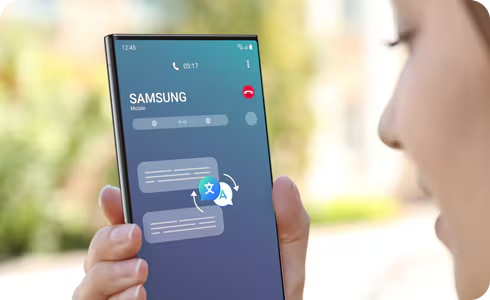
Live translate lets you translate phone calls in real time directly on your Galaxy device.
You can speak your language while the other person hears it in theirs, making communication easier across different languages.
Apps supporting Live translate
Google Meet, Signal, WeChat, KakaoTalk, Facebook Messenger, Instagram, LINE, WhatsApp, Telegram.
* Supported apps are subject to change.
Supported languages (Regions)
Arabic, Bahasa Indonesia, Chinese Simplified, Chinese Traditional (Hong Kong, Taiwan), Dutch, English (Australia, India, United Kingdom, United States), French (Canada, France), German, Hindi, Italian, Japanese, Korean, Polish, Portuguese (Brazil, Portugal), Romanian, Russian (Russian Federation), Spanish (Mexico, Spain, United States), Swedish, Thai, Turkish, Vietnamese.
* More languages will be added in future updates. (Last updated, November 2024)
Notes:
- Ensure that you are connected to a network and logged in to your Samsung account before proceeding.
- If a pop-up appears, follow the on-screen instructions.
- To download a language, tap the download icon next to it, then select it after download.
- You can also access this from Phone app > More options (⋮) > Settings > Live translate.
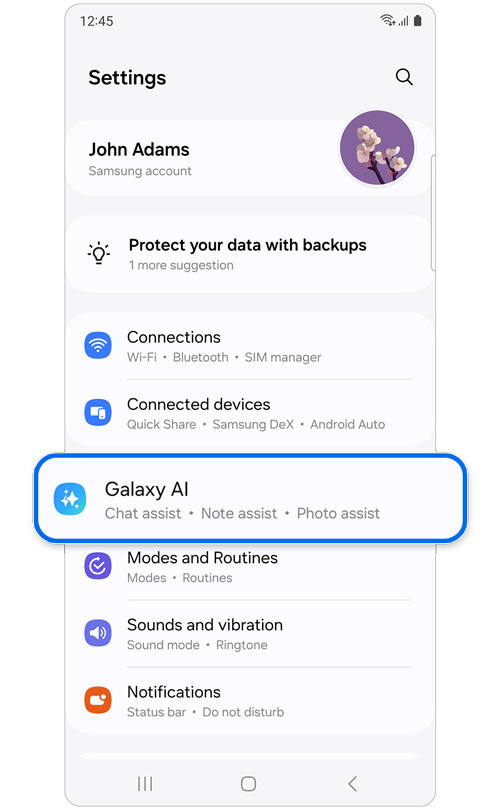
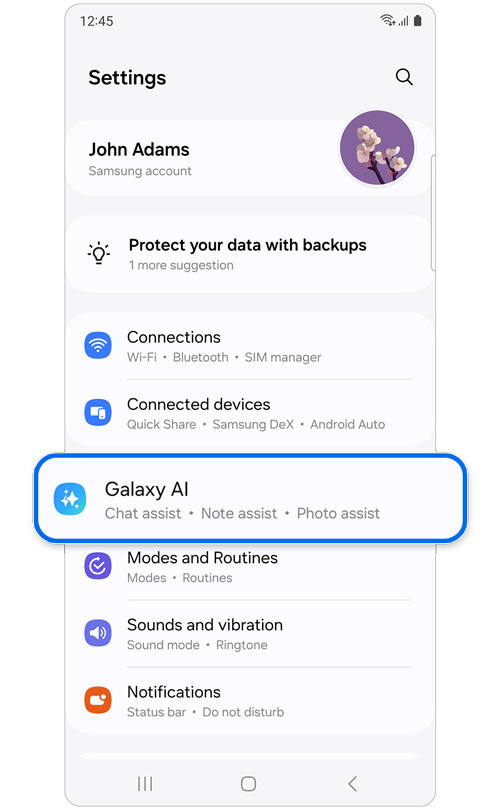
Step 1. Open Settings > Galaxy AI.
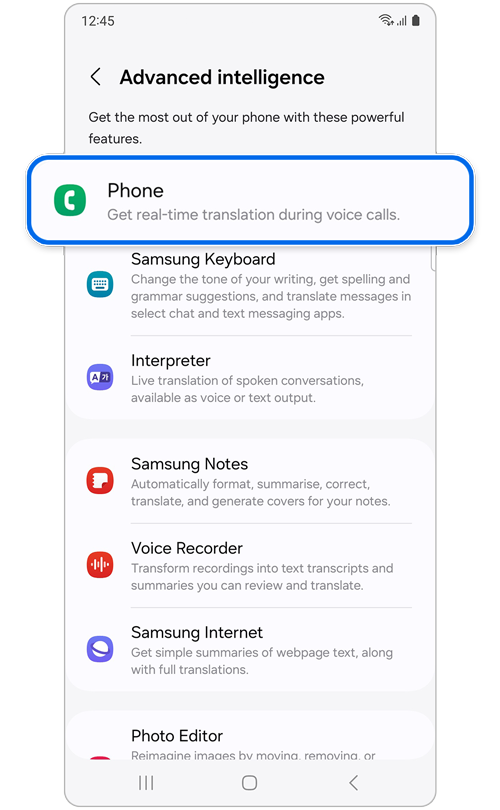
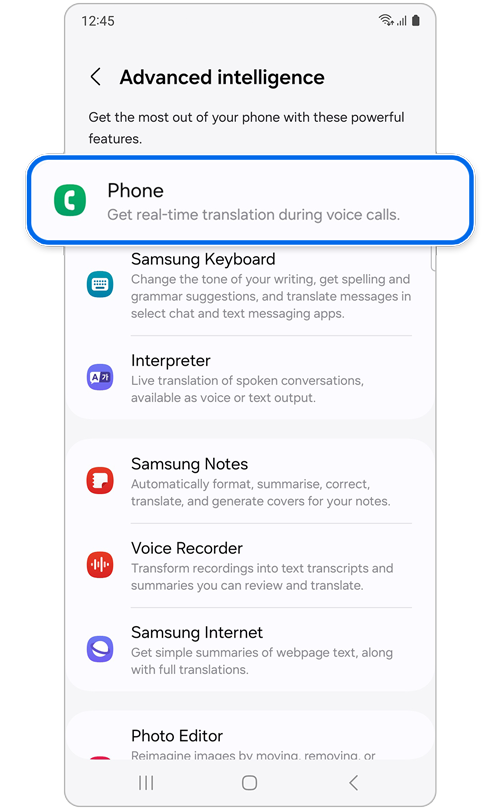
Step 2. Tap Phone.
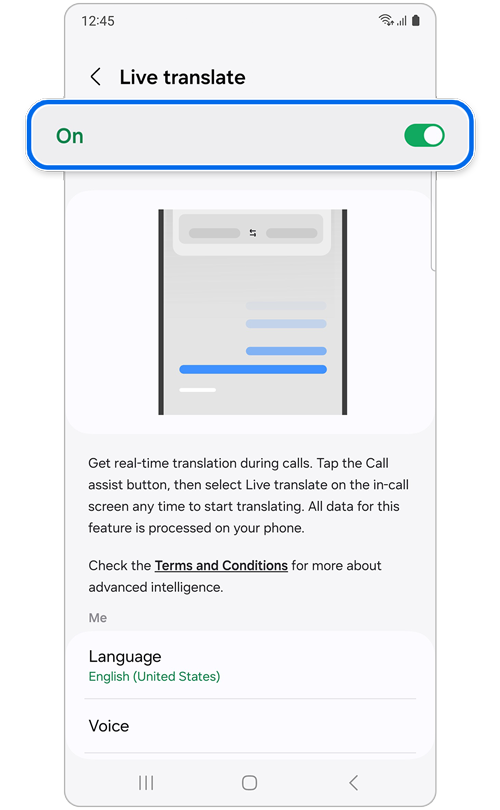
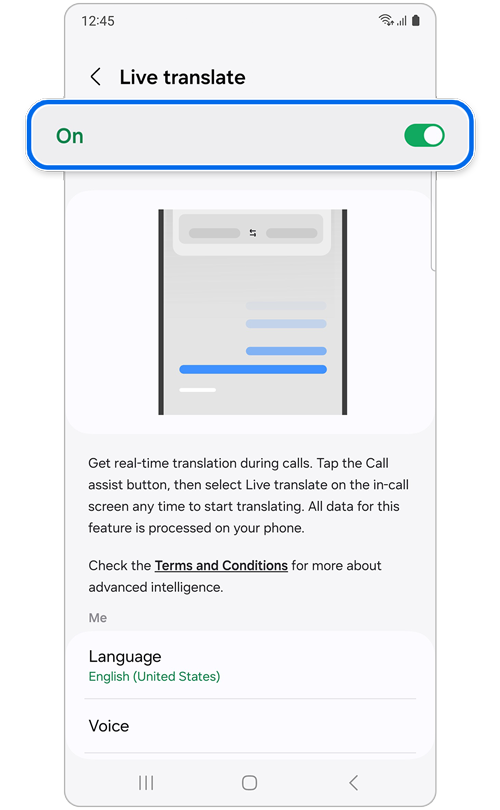
Step 3. Toggle the switch to On.


Step 4. Set your language in the Me section and the other person’s language in the Other person section.
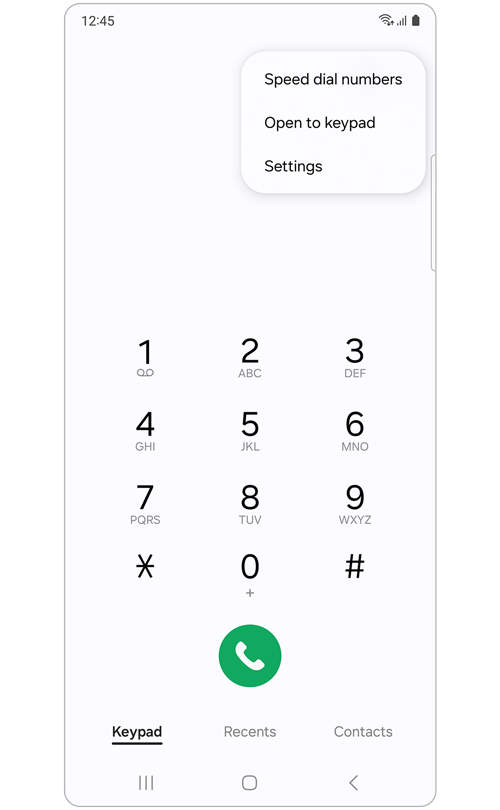
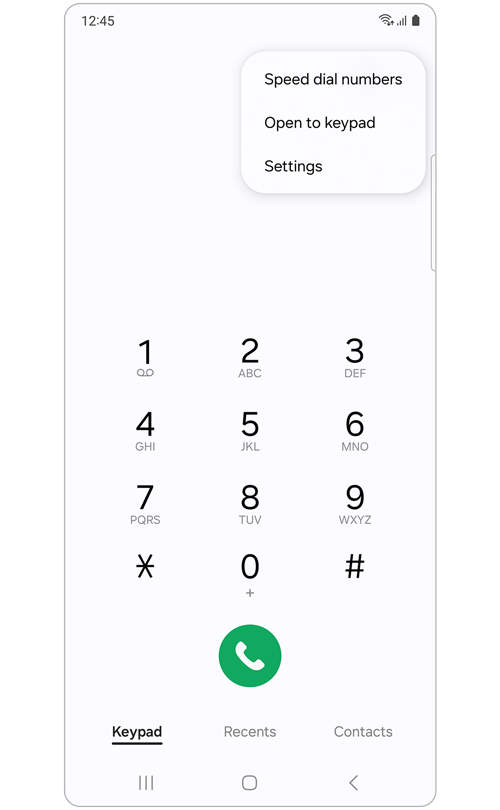
Note: You can also access the Live Interpretation settings screen from the Samsung Phone app > More options icon (three vertical dots) > Settings > Live translate.
Once you have set up Live translate in your device's Settings, it's time to try out this new feature on a phone call.
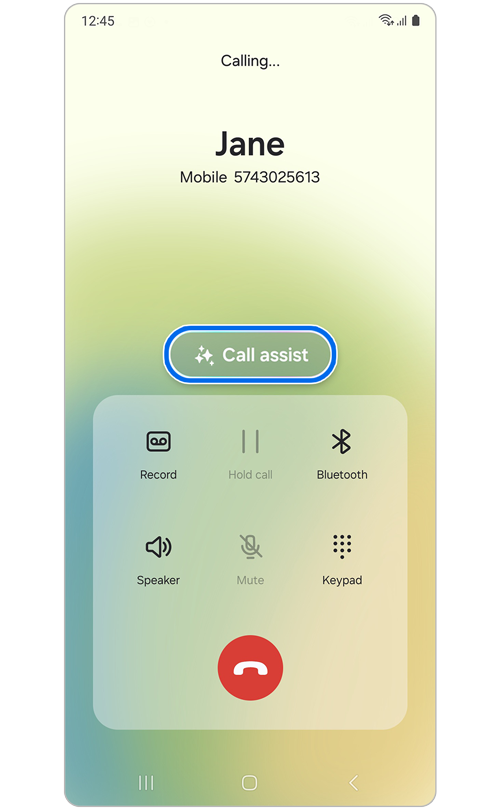
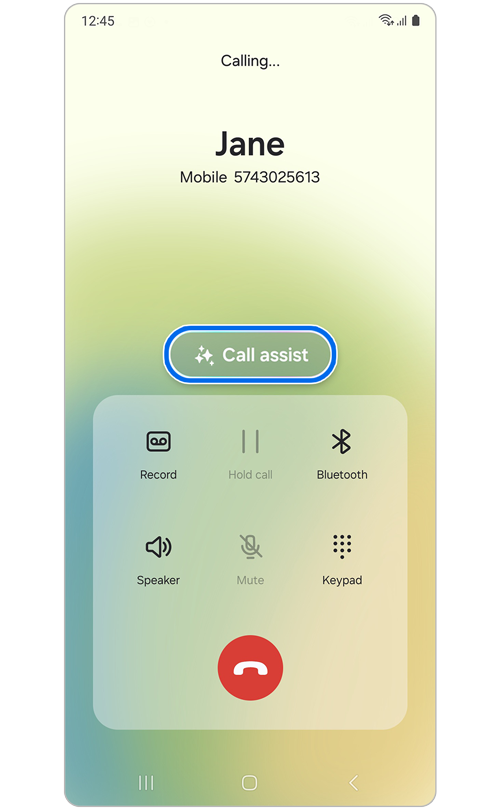
Step 1. Make or receive a call using the Phone app > Call assist.
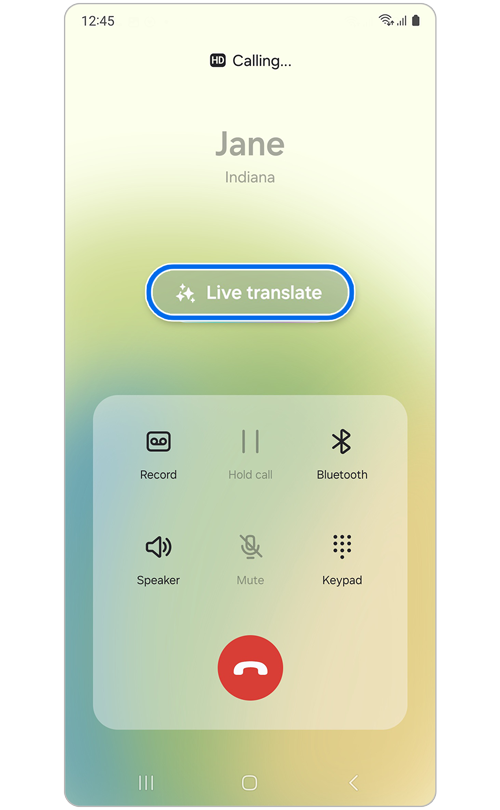
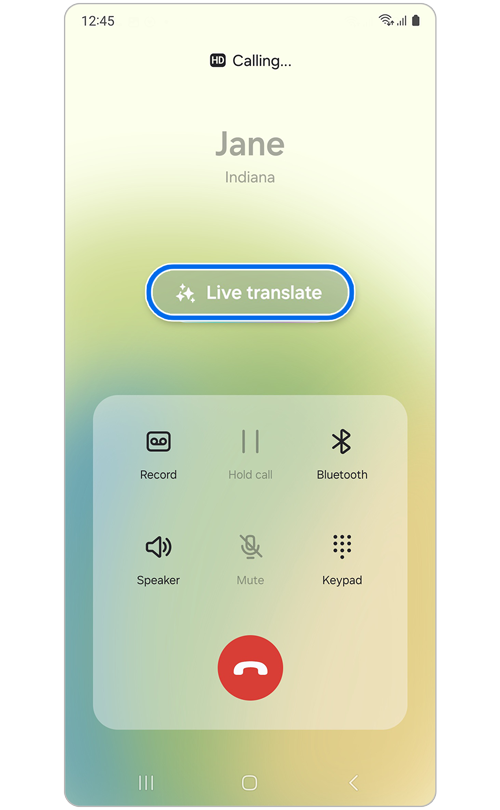
Step 2. Tap on Live translate.
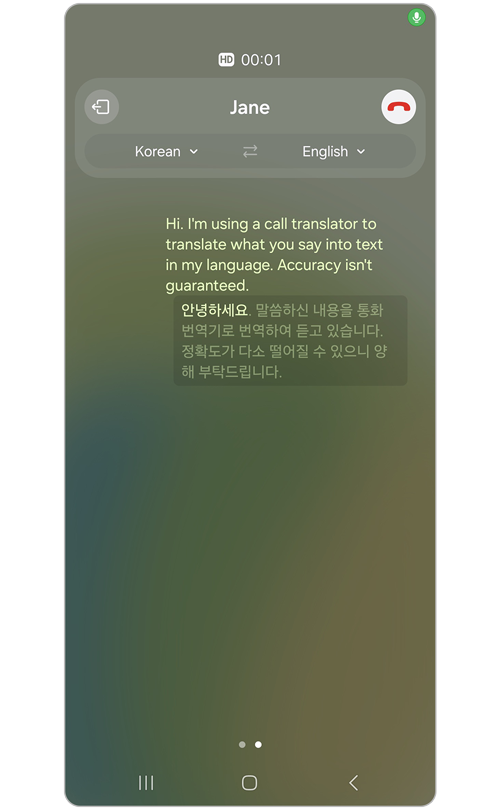
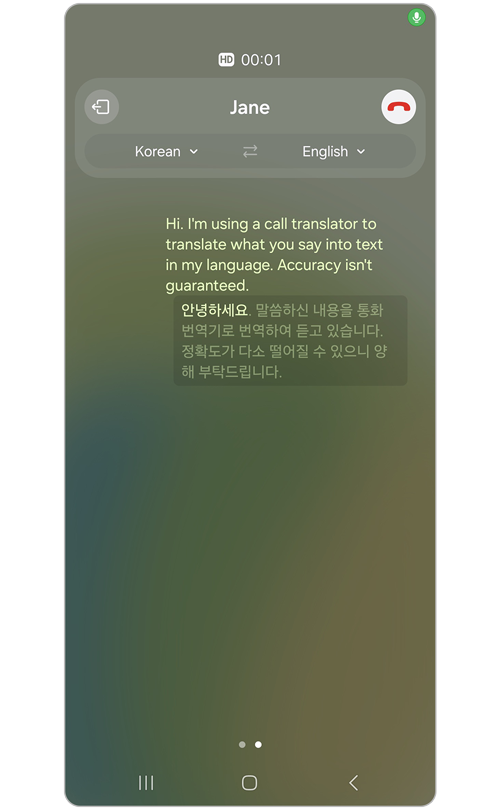
Step 3. Bixby voice will automatically use your selected language settings to start translating.
Note: Translation results and quality may vary each time.
How to check the app supporting Live translate
The Live translate feature is available in apps not only in the Samsung Phone app but also in other apps. Using the guide below, you can check which of your third-party apps support this feature.
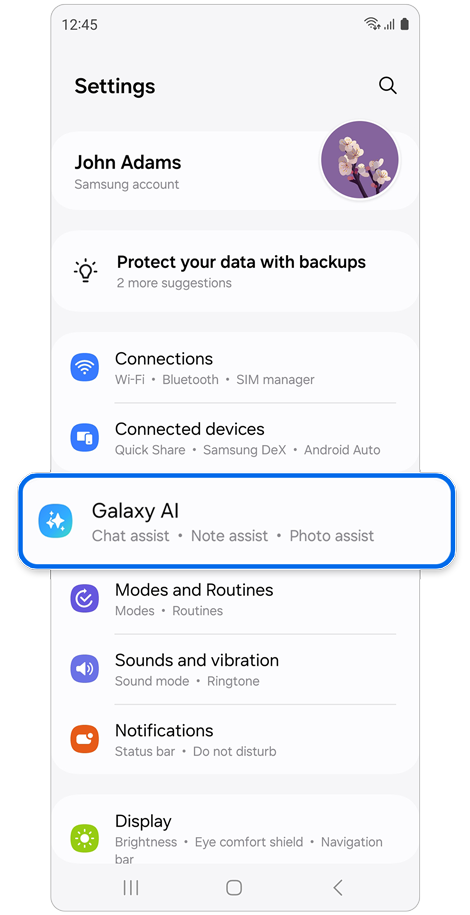
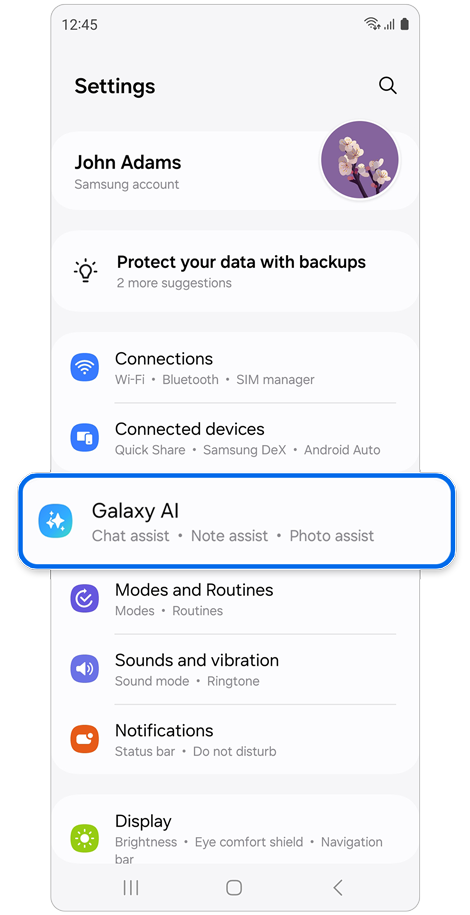
Step 1. Open Settings > Tap Galaxy AI.
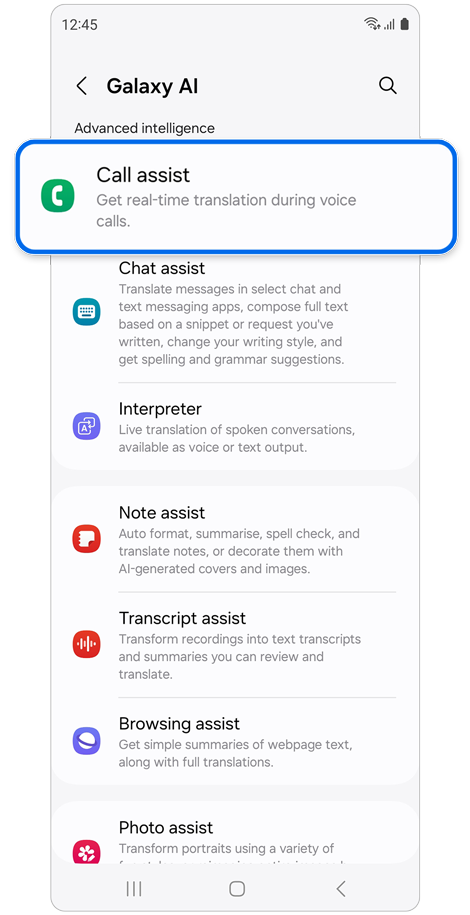
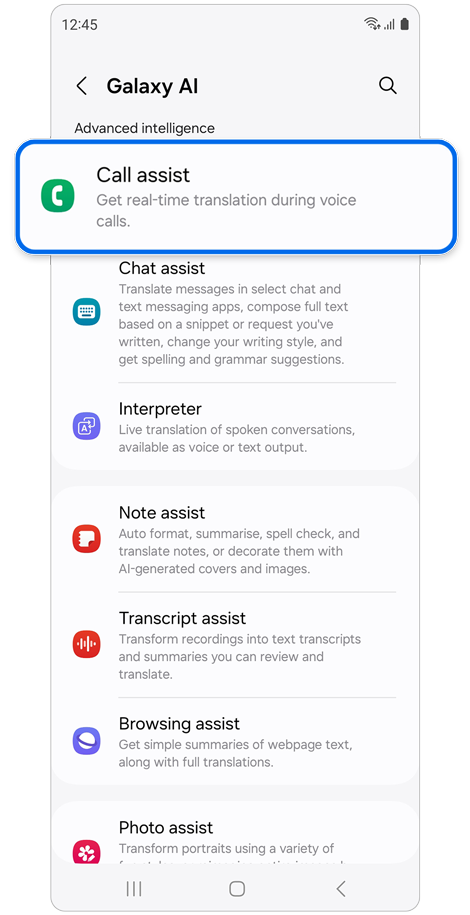
Step 2. Tap Call assist.
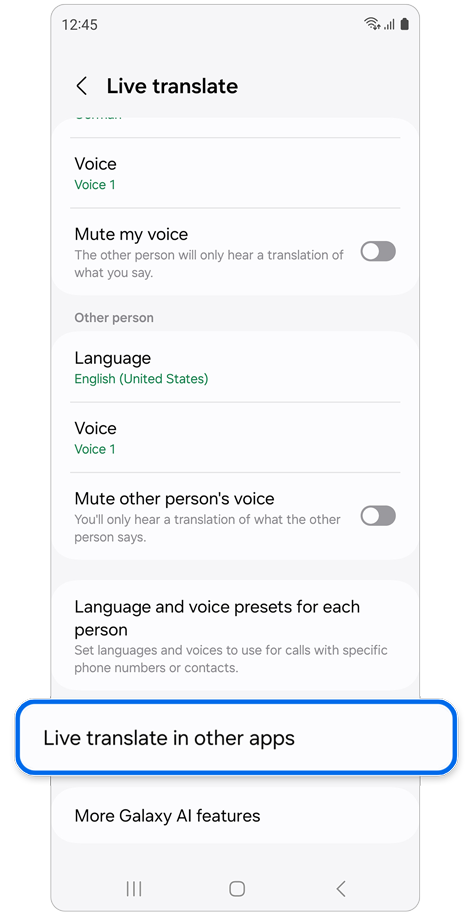
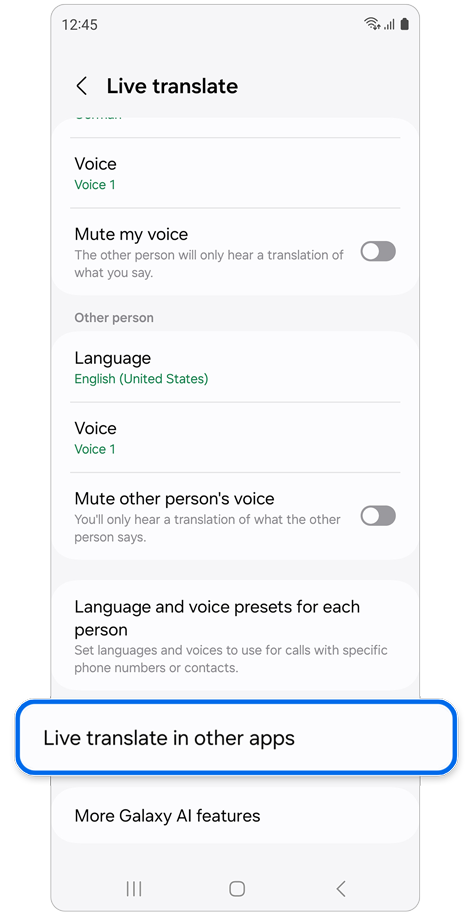
Step 3. Tap Live translate in other apps.
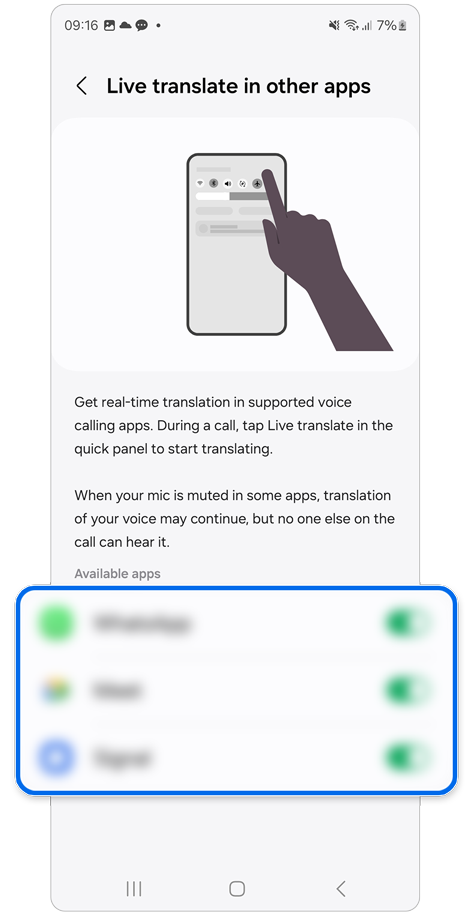
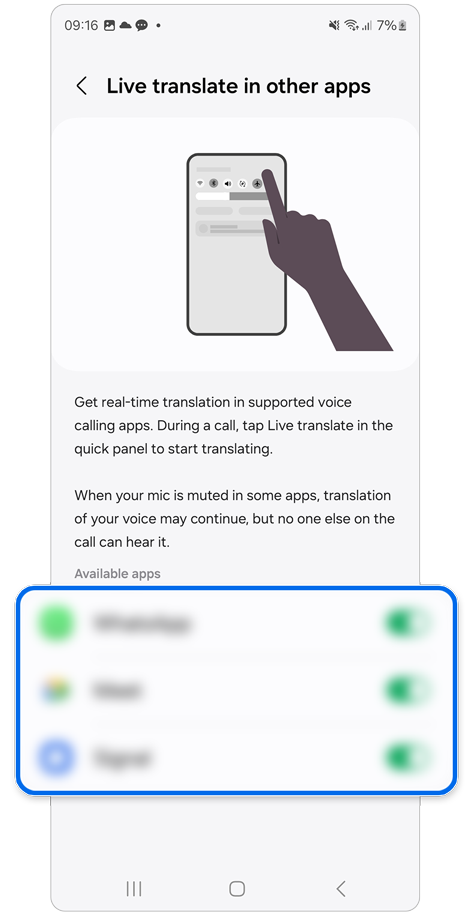
Step 4. Check apps that support Live translate and tap the switches to enable the feature.
How to use Live translate in other apps
* The Signal app has been used for this example.
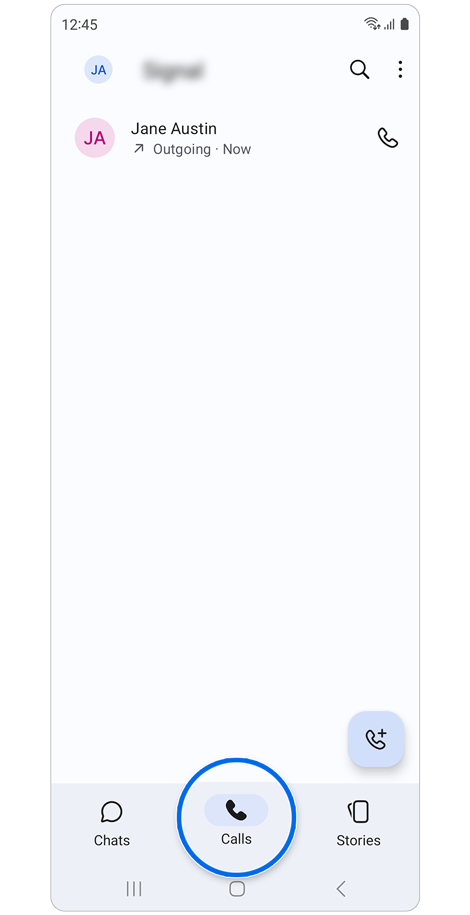
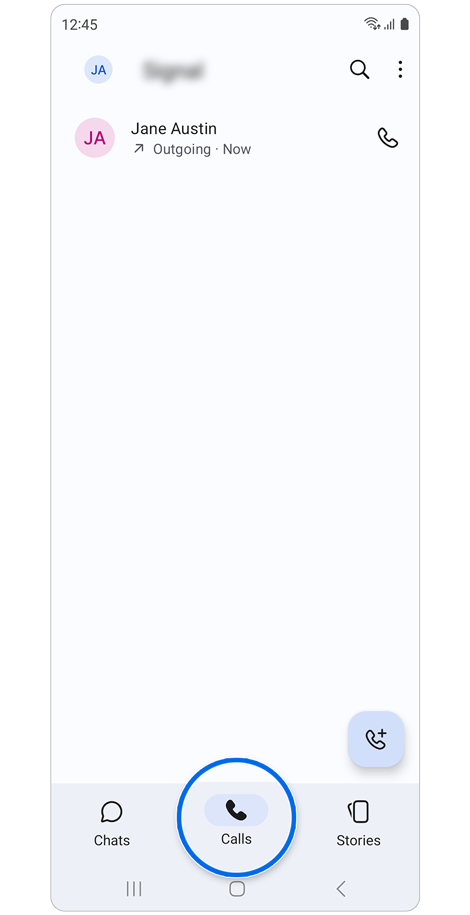
Step 1. Call the other party in the Calls tab of the third-party app.
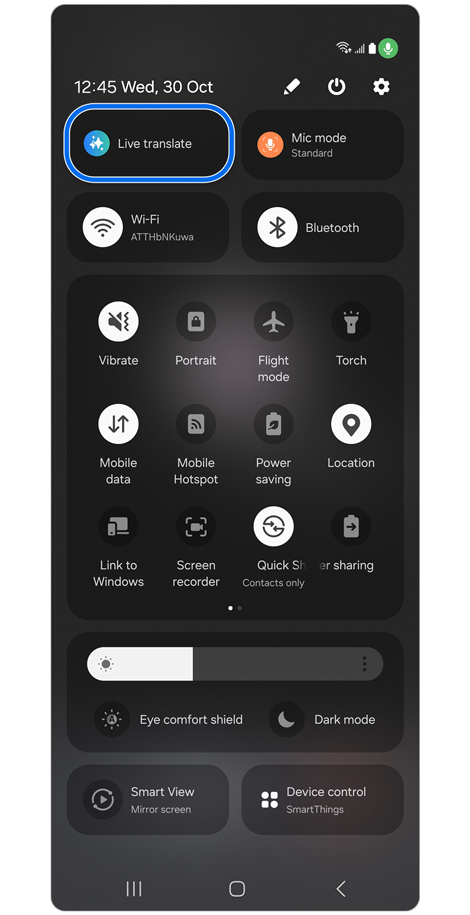
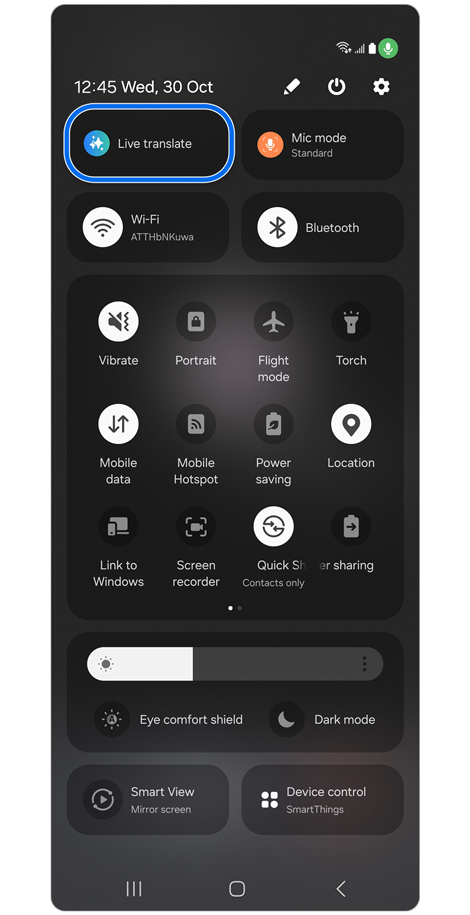
Step 2. Open the Quick Settings panel > Tap Live translate.
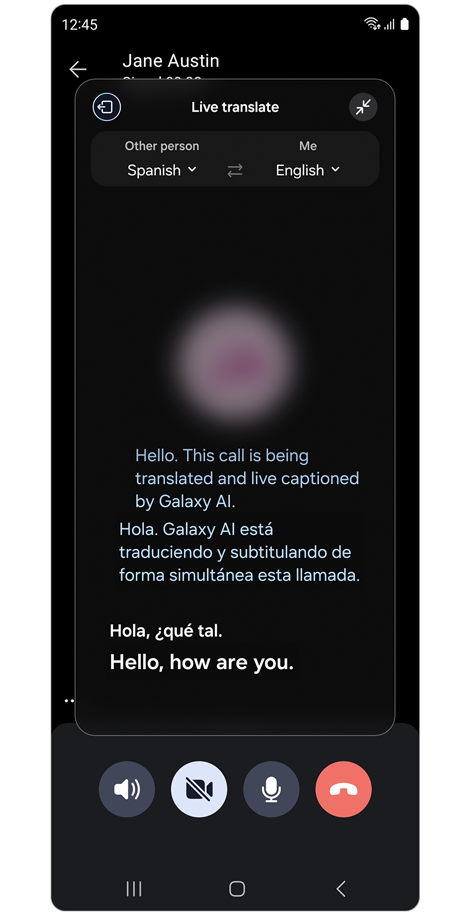
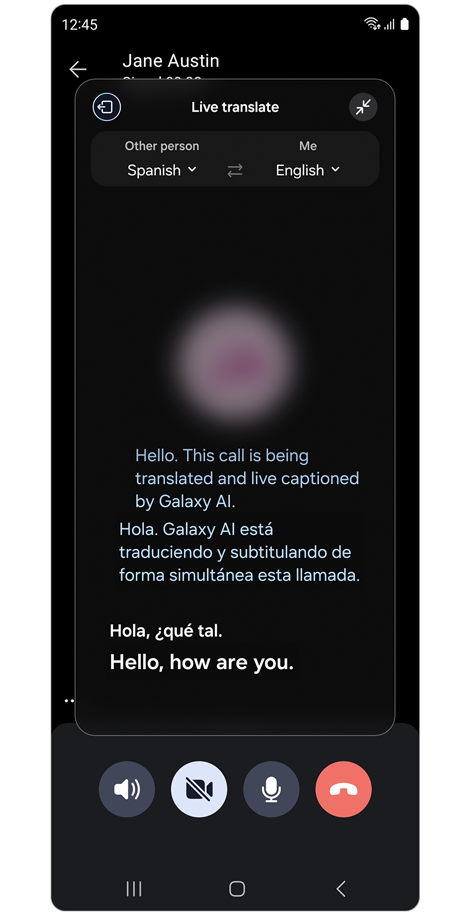
Step 3. Live translate will start once the person on the other end speaks.
Note: The UI and usage may vary depending on the app.
Notes: Other features include–
- Mute voice: Allows you to block the other party's or your voice on a call so that only the translation is heard.
- Language and voice presets for each person: Allows you to set languages and voices to use for calls with specific phone numbers or contacts.
Click here to read more about the AI features on supported Samsung Galaxy devices and models.
Thank you for your feedback!
Please answer all questions.