
تلفزيون Crystal UHD بدقة 4K طراز U8000 بحجم 65 بوصة (2025)


Gallery popup


{{upgradeResult.displayModelName}}
{{upgradeResult.discountText1}}
{{upgradeResult.description1}}
{{upgradeResult.description2}}
{{offerFinance.title}}
{{offerFinance.learnMoreCta.text}}{{offerFinance.description}}
{{galaxyForeverResult.displayModelName}}
{{galaxyForeverResult.discountText1}}
{{galaxyForeverResult.description1}}
{{galaxyForeverResult.description2}}
اختر اللون
الحواف القابلة للتخصيص تُباع بشكل منفصل
اختر لون الطبقة الخارجية
تُباع الطبقة الخارجية القابلة للتعديل بشكل منفصل
-
{{item.name}}
نفدت الكمية
نوع حديث
-
{{item.name}}
نفدت الكمية
نوع مائل
-
{{item.name}}
نفدت الكمية
لون الطبقة الخارجية
-
{{item.name}}
نفدت الكمية
نوع الحافة

- نوع حديث
تُثبت حواف The Frame المخصصة مغناطيسيًا في مكانها. والآن، يمكنك التبديل بين النمطين في لحظة واحدة.
نوع الحافة

- نوع مائل
يقدم تصميم الحواف المائلة الجديد حوافًا داخلية أنيقة مائلة بزاوية 45 درجة.
{{tradeIn.title}}
{{tradeIn.learnMoreCta.text}}{{tradeIn.description}}
تهانينا ، ستتم إضافة عملية الاستبدال إلى طلبك.
-
{{item.discountPriceTextTile}} {{item.discountPriceText}} {{item.discountText1}} {{item.abondementAmountText}} {{item.spotGuaranteeAmountText}} {{item.tradeinValueText}} {{item.exclusiveTradeinUnitOfferText}} {{item.extraTradeinOfferText}} {{item.exclusiveChannerTradeinOfferText}} {{item.extraTradeinVoucherText}} {{item.specialDiscountText}}
{{item.displayModelName}}
ستختلف القيم بناءً على صنف جهازك القديم وحالته. تطبق الشروط والأحكام.
Dealer stock quantity
You can check the stock quantity for each region
Please select city
{{assuredBuyBack.title}}
{{newAssuredBuyBack.title}}
{{newAssuredBuyBack.learnMoreCta.text}}{{newAssuredBuyBack.description}}
Please select Samsung Assured Buyback or no coverage
{{care.title}}
{{care.learnMoreCta.text}}{{care.description}}
يُرجى تحديد Samsung Care+ أو "لا" للمتابعة
-
{{item.specialText}}
-
{{warranty.title}}
{{warranty.description}}
{{warrantyResult.displayModelName}}
{{warrantyResult.discountText1}}
{{warrantyResult.description1}}
{{warrantyVd.title}}
{{warrantyVd.description}}
{{warrantyVdResult.title}}
{{warrantyVdResult.priceDisplay}}
{{delivery.headline}}
{{delivery.errorMessage}}
{{deliveryResult.priorityText}}
{{deliveryResult.mainText}}
{{deliveryResult.subText}}
Standard installation charges may apply.Click here for more details.
{{deliveryResult.decText}}
{{item.disclaimer}}
{{tariffOptionResult.displayModelName}}
{{tariffOptionResult.discountText1}}
{{tariffOptionResult.description1}}
{{tariffOptionResult.description2}}
{{tariffOptionResult.description}}
{{tariffOptionResult.price}}
{{tariffOptionResult.disclaimer}}
{{embedAddon.title}}
{{embedAddon.description}}
-
{{item.name}}
{{item.modelCode}}
{{item.description}}
{{item.finalPrice}}
{{item.originalPrice}}{{item.savePrice}} نفدت الكمية
-
{{item.name}}
{{item.modelCode}}
{{item.description}}
- {{item.dotList1}}
- {{item.dotList2}}
- {{item.dotList3}}
{{item.finalPrice}}
{{item.originalPrice}}{{item.savePrice}} نفدت الكمية
{{message.item.tcCTAText}}
{{message.item.periodText}}
الأساسيات

معالج Crystal 4K
استشعر روعة الدرجات اللونية الأقرب إلى الواقع بدقة 4K القوية

تصميم MetalStream
تصميم معدني أنيق يرتقي بصورة المساحة لديك

محتوى مجاني غير محدود
تابع القنوات المجانية عبر تطبيق Samsung TV Plus وغيره

أمان Samsung Knox
خصوصيتك. مؤمَّنة.
مزايا
الخيار الأفضل في فئته والذي لا تشوبه شائبة


الميزات الرئيسية بنظرة سريعة


جودة الصور


استشعر روعة الدرجات اللونية الأقرب إلى الواقع بدقة 4K القوية
معالج Crystal 4Kشاهد كل درجة من درجات الألوان بكامل رونقها الأصليّ مع معالجنا المتطور. أضف إلى ذلك أن الارتقاء الفعَّال بالدقة إلى 4K يضمن لك الحصول على جودة بدقة تصل إلى 4K للمحتوى الذي تحبه.


* قد تختلف تجربة المشاهدة باختلاف نوع المحتوى والتنسيق.
* قد لا يُطبق الارتقاء بالدقة على اتصال الكمبيوتر PC ووضع الألعاب.
استشعر واقع العالم على حقيقته على الشاشة
دقة 4Kأظهر كل التفاصيل الصغيرة في كل مشهد. تزيد دقة 4K UHD عن دقة FHD العادية بمقدار 4 أضعاف وحدات البكسل، وهو ما يمنحك صوراً واضحة وواقعية للغاية.


المزيد عن
جودة الصور


استمتع بمستوى أفضل من التباين مع درجات لون أسود غنية ودرجات لون أبيض ساطعة
خاصية المدى الديناميكي العالي (HDR)
تعمل تقنية النطاق الديناميكي العالي (High Dynamic Range) على زيادة النسبة بين المناطق الأفتح والأغمق في المشهد، حتى تتمكّن من الاستمتاع بمجموعة هائلة من الألوان وكل التفاصيل البصرية، في كل من المَشاهد الساطعة والمظلمة.


استمتع بمشاهدة محتواك المفضل بالدقة 4K
الارتقاء إلى الدقة 4K
تضمن لك تقنيتنا فائقة الإمكانات المتمثلة في خاصية الارتقاء بالدقة إلى 4K الحصول على جودة بدقة تصل إلى 4K للمحتوى الذي تحبه.
* قد تختلف تجربة المشاهدة حسب أنواع المحتوى والتنسيق.* Upscaling may not apply to PC connection and Game Mode.


ألوان مضبوطة بدقة لمنحك صورة واقعية تنبض بالحياة
تقنية PurColor
شاهد أفلاماً مفعمة بالحيوية تشعر معها كأنك جزء من الأحداث. تُنتج خاصية PurColor مجموعةً واسعةً من الألوان بجودة مثالية لتحصل على تجربة واقعية تتعايش معها بكلّ حواسك.


شاهد الصور تنبض بالحياة مع عمق أكبر
معزز التباين
يضفي مُحسِّن التباين الحيوية على الصور المسطحة من خلال ضبط التباين، وهو ما يؤدي إلى تعزيز العمق بدرجة أكبر للحصول على جودة صور رائعة.
التصميم


تصميم معدني أنيق يرتقي بصورة المساحة لديك
تصميم MetalStreamيتميز هذا التلفزيون المستوحى من تصميم الطائرات باشتماله على هيكل معدني فاخر. تُستخدم صفيحة واحدة من المعدن لتصنيع الحواف النحيفة، وهو ما يتيح تجربة تدهشك بروعتها.


نظام التشغيل Tizen ضمن واجهة One UI


تخصيص تجربة الشاشة لديك
نظام التشغيل Tizen ضمن واجهة One UIيقدم لك نظام التشغيل Tizen ضمن واجهة One UI تجربةً سلسةً ومتسقةً على جهاز من Samsung. يتيح لك نظام التشغيل Samsung Tizen الاستفادة من أحدث ميزات Samsung المبتكرة - بما في ذلك الوصول السريع إلى المحتوى الذي تحبه، والإدارة المريحة عبر تقنية AI، والحماية الصارمة عبر أمان Samsung Knox. أضف إلى ما سبق أن نظام التشغيل Tizen ضمن واجهة One UI سيوفر الدعم لترقيات نظام التشغيل Tizen على مدار السنوات السبع القادمة، وهو ما يتيح لك أحدث التطبيقات والخدمات.


استمتع بـ 7 سنوات من
تجارب التلفزيون الجديدة
مجاناً


* قد يختلف المحتوى والخدمات حسب المنطقة، وهي عرضة للتغيير من دون إخطار.
* تلزم الموافقة على شروط وأحكام Smart Hub وسياسة الخصوصية الخاصة به قبل الاستخدام.
* وتتطلب بعض المحتويات والخدمات التسجيل والاشتراك.* يلزم توفر حساب Samsung account.
* سيتم دعم ترقيات نظام التشغيل Tizen لمدة تصل إلى 7 سنوات بدءاً من عام 2025، وذلك للمنتجات التي طُرحت في الأسواق في عام 2025.
* تُرجى ملاحظة أن الترقية لا تشمل أداء المكونات المادية أو ميزاتها أو المتانة المتعلقة بها.
تابع القنوات المجانية عبر تطبيق Samsung TV Plus
محتوى مجاني غير محدودستتوفر لك إمكانية الوصول إلى القنوات المجانية، بما في ذلك قنوات Samsung TV Plus التي تستلزم اشتراكاً. استمتع بالأخبار والرياضة والأفلام والترفيه والموسيقى وبرامج الأطفال وغيرها الكثير. مع إضافة محتوى جديد باستمرار، سيكون هناك المزيد دائماً لاكتشافه.


أفضل ما في التلفزيون. كل ذلك مجاناً.
Samsung TV Plus
استمتع بمجموعة واسعة من العروض التلفزيونية والأفلام وغير ذلك من أنواع المحتوى على تطبيق Samsung TV Plus. يأتي التطبيق مثبتاً مجاناً على التلفزيون - ولا يتطلب أي دفع أو اشتراك أو إعداد.


* قد تختلف القنوات باختلاف البلد، وهي عُرضة للتغيير من دون إخطار.
* قد تختلف أجهزة Samsung المدعومة باختلاف البلد.
* تتطلب حساب Samsung account.
* واجهة المستخدم عُرضة للتغيير من دون إخطار مسبق.
* قد تظهر إعلانات على تطبيق TV Plus من Samsung.
* متاح مجاناً على أجهزة التلفزيون الذكي من Samsung التي صدرت منذ عام 2016.
خصوصيتك. مؤمَّنة.
أمان Samsung Knoxحقك في الخصوصية مؤمّن على أجهزة Samsung TV. تتم حماية البيانات الحساسة، مثل كلمات المرور، ومراقبة أجهزة IoT المتصلة، وحظر التطبيقات والمواقع الضارة تلقائيّاً. بالإضافة إلى ذلك، يساعدك فريق الأمان التابع لشركة Samsung على الحفاظ على أمان التلفزيون لديك من خلال التحديثات المستمرة.


* يُطبق أمان Samsung Knox على أجهزة تلفزيون Samsung TV التي تعمل بنظام التشغيل ®Tizen والتي طُرحت في الأسواق منذ عام 2015.
* يلزم توفر آخر تحديث للبرنامج.
تجربة الألعاب


وضوح صور محسّن وحركة سلسة
Motion Xcelerator
استمتع بوضوح الصورة لأن التلفزيون سيتولى مهمة تقدير الحركة بين الإطارات، ثم يستخدم هذه المعلومات لتحسين سلاسة الحركة للإطارات اللاحقة.


تجربة ذكية


وصّل أجهزتك المنزلية الذكية معاً وأدِرها من التلفزيون لديك
SmartThings
بفضل تطبيق smart hub المدمج، يمكن للتلفزيون لديك الاتصال بالأجهزة الذكية والتحكم فيها — حتى تلك التي تتطلب التوافق مع معياري Matter وHCA. يمكنك أيضاً الحصول على إشعارات بشأن أجهزتك من الشاشة مباشرةً، بما في ذلك عرض خريطة ثلاثية الأبعاد "3D" تُظهر نظام منزلك الذكي بالكامل بنظرة واحدة.


* قد تختلف التكنولوجيا والوظائف والميزات المتاحة حسب البلد أو مقدم الخدمة أو بيئة الشبكة أو المنتج، كما تخضع للتغيير من دون إخطار.
* يلزم الاتصال بشبكة Wi-Fi أو بلوتوث أو شبكة لاسلكية أخرى وتسجيل الدخول إلى حساب Samsung account.
* تُباع الأجهزة المتصلة بصورة منفصلة.* يتطلب استخدام تقنية calm الموافقة على إشعارَي الخصوصية من كلٍّ من تطبيق SmartThings والجهاز المُسجّل تلقائيّاً.
* يجب توصيل التلفزيون والهاتف المحمول بتطبيق SmartThings لاستخدام وظيفة عرض الخريطة ثلاثية الأبعاد "3D". للحصول على قائمة مفصلة بالأجهزة المدعومة، تفضل بزيارة https://partners.smartthings.com/supported-devices.
* واجهة المستخدم عُرضة للتغيير من دون إخطار مسبق.
المزيد عن
SmartThings


التحكم في التلفزيون من الهاتف
جهاز التحكم عن بُعد السريع
يُمكنك استخدام جهاز الهاتف المحمول لديك في الوصول إلى ميزات تلفزيون Samsung Tizen الرئيسية، مثل الوسائط والميزات والوضع المحيط والقائمة. يمكن أن تؤدي خاصية "التحكم عن بُعد السريع" أيضاً وظيفة جهاز التحكم عن بُعد للتلفزيون، وهو ما يسمح لك بتغيير القنوات وضبط مستوى الصوت والمزيد من الهاتف لديك مباشرةً
* تتوفر إشعارات فورية لأجهزة التحكم عن بُعد على الهاتف المحمول لأجهزة التلفزيون على نظام التشغيل Android OS 10.0 (الهاتف المحمول) والإصدارات الأحدث مع أجهزة Samsung TV التي صدرت عام 2020 والطرازات الأحدث، وتعمل عندما يكون الهاتف المحمول قريباً من التلفزيون.* يتوفر الوصول إلى خاصية التلفزيون الذكي من Samsung على أجهزة Samsung TV التي صدرت عام 2024 والطرازات الأحدث (التلفزيون) مع نظام التشغيل Android OS 10.0 والإصدارات الأحدث أو iOS 15.0 والإصدارات الأحدث (للهاتف المحمول).


إنجاز مهام متعددة بسهولة عبر شاشات مختلفة
خاصية Multi Control
استخدم الماوس لنقل المحتوى عبر شاشات مختلفة، أو لوحة مفاتيح واحدة للكتابة على أجهزة متعددة. يمكن توصيل التلفزيون لديك مع الشاشات الذكية وأجهزة Galaxy للحصول على تجربة موحدة، حيث يتم التحكم فيها بالماوس نفسه أو لوحة اللمس أو لوحة المفاتيح نفسها. يمكنك أن تستخدم نظام Samsung الشامل والسلس لتبقى على ات
* يجب أن يكون كل جهاز مسجلاً باستخدام حساب Samsung account واحد ومتصلاً بشبكة Wi-Fi نفسها.br> * تتطلب ميزة Multi Control استخدام هواتف وأجهزة لوحية مُحدَّثة من Galaxy مع واجهة إصدارها One UI 5.1.1 أو إصدار أحدث، وأجهزة من الفئة Galaxy Book Series التي صدرت في عام 2021 أو بعد ذلك، والمثبّت عليها الإصدار 1.5 من تطبيق Samsung Settings (Intel) أو الإصدار 3.3 من تطبيق Samsung Settings (ARM)، وأجهزة التلفزيون والشاشات الذكية بدايةً من عام 2024 فما بعده.* قد لا تتوفر بعض الميزات (مثل النسخ واللصق أو السحب الإفلات) عند استخدام بعض طرازات الأجهزة وبعض التطبيقات.
* قد يختلف مدى توفر الميزة باختلاف المنطقة.


إيماءات تتيح لك التحكم باستخدام ساعتك
الإيماءات العامة
يمكنك التحكم في التلفزيون بسهولة باستخدام ساعتك الذكية. ما عليك سوى ارتداء ساعة Galaxy Watch واستخدام إيماءات اليد، مثل الضغط بإصبعين لتحديد خيار، أو تحريك معصمك جيئةً وذهاباً للإيقاف المؤقت والتشغيل.
* قد تختلف التطبيقات والخدمات المتاحة، وهي عُرضة للتغيير من دون إخطار.* لا يتوفر الدعم لهذا الخيار إلا على ساعة Samsung Galaxy Watch 4 والطرازات الأحدث، مع نظام التشغيل Wear OS 5 والإصدارات الأحدث.


ارتقِ بجلسات تمارينك المنزلية إلى مستوى آخر
متتبع التمارين
يمكنك تتبُّع بيانات التمارين بشكل فوري في أثناء جلوسك لمشاهدة عروضك التلفزيونية المفضلة. يمكن للتلفزيون عرض الملاحظات الواردة من أجهزة التمارين الرياضية وتشغيل المحتوى على شاشة واحدة في أثناء جلسات التمارين في المنزل.
*تتوفر هذه الميزة ابتداءً من مارس 2024. الأجهزة المدعومة هي Galaxy Watch 4 ↑ وكذلك أي هاتف محمول من Galaxy (لديه واجهة One UI 4.1.1 والإصدارات الأحدث) ومثبت عليه أحدث إصدار من البرامج. يجب تسجيل دخول الأجهزة إلى حساب Samsung account نفسه.
الصوت


يظهر التلفزيون مع جهاز الصوت soundbar وهما يعملان معاً في تناغم يتسم بالسلاسة
Q-Symphony
اجعل الصوت الذي يجمع بين التناسق والتناغم والنغمة العذبة يحيط بك من كل الاتجاهات. تُزامن تقنية Samsung الصوت المنبعث من التلفزيون والآخر المنبعث من جهاز الصوت soundbar ليعملا في وقت واحد - وذلك من دون كتم صوت مكبرات الصوت في أيٍّ من الجهازين.


* تحقق من توافق نظام Q-Symphony في المواصفات التقنية لمنتج جهاز الصوت soundbar.
* يُباع جهاز الصوت Soundbar بشكل منفصل.* قد يختلف موقع مكبرات الصوت وعددها باختلاف الطراز.
صوت افتراضي يغمر كل حواسك ويتتبع الحركة المعروضة على الشاشة
OTS Lite
يتيح لك الصوت المحيطي 3D مع الصوت الصادر من القنوات العلوية الافتراضية الانغماس بحواسك في التجربة الصوتية.


استمتع بصوت محسّن وفقاً للمحتوى الذي تشاهده
صوت تكيفي
تشتمل خاصية الصوت التكيفي على ذكاء المَشاهد المسموعة الذي يحسِّن الصوت بناءً على تحليل المَشاهد بصورة فورية حسب نوع المحتوى.


الاستدامة


وفِّر الطاقة مع التحليل الذكي
وضع AI Energy Mode
توفير الطاقة أصبح أسهل مع SmartThings. بمجرد تفعيل وضع AI Energy، يقوم الجهاز تلقائياً باكتشاف مستويات الإضاءة المحيطة وتحليل سلوك الاستخدام لضبط مستوى السطوع بما يتناسب. ويحلل المحتوى أيضاً مشهدًا بمشهد ليُجري تعديلات ذكية ودقيقة على مستوى السطوع، مما يساعد في تقليل استهلاك الطاقة.


* قد يختلف معدل توفير الطاقة باختلاف المنطقة والطراز والحجم وظروف المشاهدة ونوع المحتوى.
* تكون بعض وظائف وضع AI Energy في المنتجات التي يتم شحنها وهي في وضع توفير الطاقة مفعّلة بشكل افتراضي، ومن ثمّ، فعند تشغيل وضع AI Energy، قد تظهر مستويات توفير الطاقة بمستوى أقل مقارنةً بالوضع القياسيّ.
* لا يعمل وضع AI Energy مع وضع الألعاب.* تعتمد مستويات توفير الطاقة على نتائج اختبارات داخلية وقد تختلف باختلاف نوع المحتوى المعروض ومستويات السطوع المحيطة.
مقارنة الطرازات
قارن بين المزايا التي تعجبك.
-
تلفزيون Crystal UHD بدقة 4K طراز U8000 بحجم 65...
-
تلفزيون Crystal UHD U8000H 4K بتقنية Samsung ...
-
UA65U8000FUXZNتلفزيون Crystal UHD بدقة 4K طراز U8000 بحجم 65...
-
UA85U8000HUXZNتلفزيون Crystal UHD U8000H 4K بتقنية Samsung ...


المواصفات الرئيسية
-
نوع المنتج
LED
-
نوع المنتج
إضاءة LED
-
![Screen size]()
حجم الشاشة
65
-
![Screen size]()
حجم الشاشة
85"

-
الدقة
4K (3,840 x 2,160)
-
الدقة
3840 x 2160
-
تكنولوجيا الحركة
Motion Xcelerator
-
تكنولوجيا الحركة
تقنية Motion Xcelerator
-
![Picture Engine]()
محرك الصور
معالج Crystal 4K
-
![Picture Engine]()
محرك الصور
معالج Crystal 4K

-
ترقية الذكاء الاصطناعي
الارتقاء إلى الدقة 4K
-
ترقية الذكاء الاصطناعي
الارتقاء إلى دقة 4K
-
التصميم
تصميم Metal Stream
-
التصميم
Metal Stream
-
خاصية الصوت المعتمد على تتبع موقع الأجسام
تقنية الصوت المتتبع لحركة الجسم OTS Lite
-
خاصية الصوت المعتمد على تتبع موقع الأجسام
خاصية OTS Lite
المواصفات
-
الدقة
4K (3,840 x 2,160)
-
منفذ HDMI
3
-
منفذ USB
1 x USB-A
-
LED
-
حجم الشاشة
65
-
مُعدّل التحديث
50 هرتز
-
الدقة
4K (3,840 x 2,160)
-
محرك الصور
معالج Crystal 4K
-
المدى الديناميكي العالي (HDR)
HDR
-
تكنولوجيا +HDR 10
الدعم
-
التباين
تباين ميجا
-
تقنية الإعتام الدقيق
تعتيم UHD
-
معزز التباين
نعم
-
تكنولوجيا الحركة
Motion Xcelerator
-
ترقية الذكاء الاصطناعي
الارتقاء إلى الدقة 4K
-
Color Booster
نعم
-
وضع Filmmaker (FMM)
نعم
-
خاصية الصوت المعتمد على تتبع موقع الأجسام
تقنية الصوت المتتبع لحركة الجسم OTS Lite
-
نظام Q-Symphony
نعم
-
مخرج صوت (RMS)
20 وات
-
نوع السماعة
2 قناة
-
الصوت التكيفي
نعم
-
نظام التشغيل
تلفزيون Smart TV من Tizen™
-
Bixby
نعم (Voice Ready)
-
Samsung TV Plus
نعم (السعودية، والإمارات، ومصر فقط)(السعودية، والإمارات، ومصر فقط)
-
مستعرض الويب
نعم
-
SmartThings Hub / Matter Hub / IoT-Sensor Functionality / Quick Remote
نعم
-
تجربة أجهزة متعددة
من الهاتف المحمول إلى تلفزيون، انعكاس الصوت، تلفزيون لاسلكي قيد التشغيل
-
Apple AirPlay
نعم (فيما عدا سوريا واليمن)
-
Storage Share
نعم
-
وضع Auto Game Mode (ALLM)
نعم
-
VRR
نعم
-
HGiG
نعم
-
بث البيانات
DVB-T2CS2
-
موالف تناظري
نعم
-
مفتاح التليفزيون
نعم
-
Wi-Fi
نعم (Wi-Fi 5)
-
البلوتوث
نعم(5.3)
-
منفذ HDMI
3
-
HDMI (معدل إطارات مرتفع)
دقة 4K بمعدل تحديث 60 (خاص بمدخلHDMI 1/2/3/4)
-
قناة إرجاع الصوت HDMI
eARC/ARC
-
تقنية +Anynet (تقنية HDMI – التحكم الإلكتروني CEC)
نعم
-
منفذ USB
1 x USB-A
-
شبكة إيثرنت (LAN)
1
-
مدخل الراديو (مدخل أرضي / الكابل / مدخل القمر الصناعي)
1/1 (استخدام شائع للأرضي)/1
-
التصميم
تصميم Metal Stream
-
نوع الحافة
3 جوانب بلا حواف
-
اللون الأمامي
أسود
-
نوع الحامل
أقدام أساسية
-
لون الحامل
أسود
-
POP مضمن
نعم
-
دليل البرنامج الإلكتروني
نعم
-
تحكم IP
نعم
-
لغة النص على الشاشة
اللغات المحلية
-
إمكانية الوصول - دليل صوتي
الإنجليزية البريطانية، الفرنسية (فرنسا)، الكورية، الروسية، الهندية
-
دعم ضعف الرؤية
وصف الصوت، تقريب القائمة والنص، تباين عالي، شاهد الألوان، خلط الألوان، درجات الرمادي، إطفاء الصورة تلقائياً
-
دعم ضعف السمع
التسمية التوضيحية المغلقة (الترجمة)، صوت متعدد المخارج، وضع التسمية التوضيحية، التقريب للتركيز على لغة الإشارة، التسمية التوضيحية المغلقة المنفصلة
-
دعم الضعف الحركي
زر تكرار الأداء ببطء، تطبيق جهاز التحكم عن بُعد للجميع
-
مصدر الطاقة
AC100-240V~ 50/60Hz
-
استهلاك الطاقة(الحد الأقصى, وات)
175 W
-
المستشعر البيئي
نعم
-
إيقاف التشغيل التلقائي
نعم
-
توفير الطاقة التلقائي
نعم
-
حجم العبوة (العرض x الارتفاع x العمق, مم)
142 x 930 x 1578
-
حجم الوحدة شامل الحامل (العرض x الارتفاع x العمق, مم)
222 x 882.2 x 1444.1
-
حجم الوحدة بدون الحامل (العرض x الارتفاع x العمق, مم)
76.8 x 831.2 x 1444.1
-
الحامل (أساسي) (العرض x العمق, مم)
1004.6 x 222
-
مواصفات VESA
200 x 200
-
وزن العبوة(كجم)
21 kg
-
وزن الجهاز مع الحامل(كجم)
14.5 kg
-
وزن الجهاز بدون الحامل(كجم)
14.2 kg
-
طراز وحدة التحكم عن بُعد
TM2240A
-
حامل حائط نحيف كامل الحركة (Y22)
نعم
-
دعم كاميرا الويب
نعم
-
تكنولوجيا Zigbee / Thread Module
دعم وحدة Dongle
-
دليل المستخدم
نعم
-
كابل الطاقة
نعم
التقييمات
تلفزيون Crystal UHD بدقة 4K طراز U8000 بحجم 65 بوصة (2025)
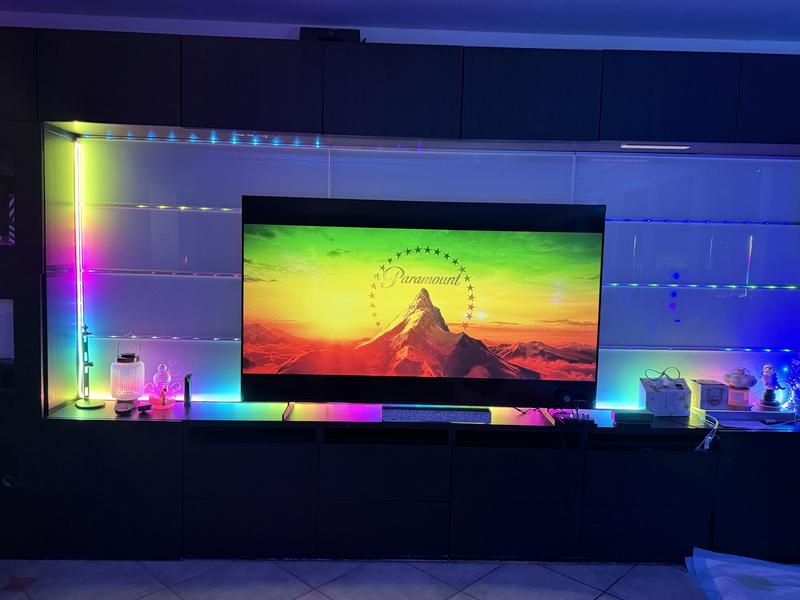
- يثني العملاء على جودة الصورة البلورية والألوان الزاهية والوضوح الحاد في محتوى 4K والتجربة الشبيهة بدور السينما
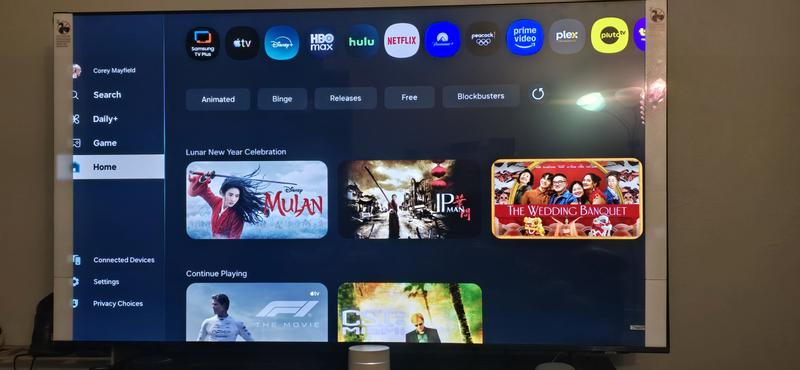
- يقدّر المراجعون الواجهة الذكية البديهية وتحميل التطبيقات السريع والتنقل السلس بين الخدمات والقنوات
- يشيد العملاء بالتكامل السلس مع النظام البيئي والقنوات المجانية المتنوعة والوصول السهل إلى خدمات البث الشهيرة
- يقدّر المستخدمون التصميم الأنيق الحديث والإعداد السهل والتثبيت السريع بدون مشاكل
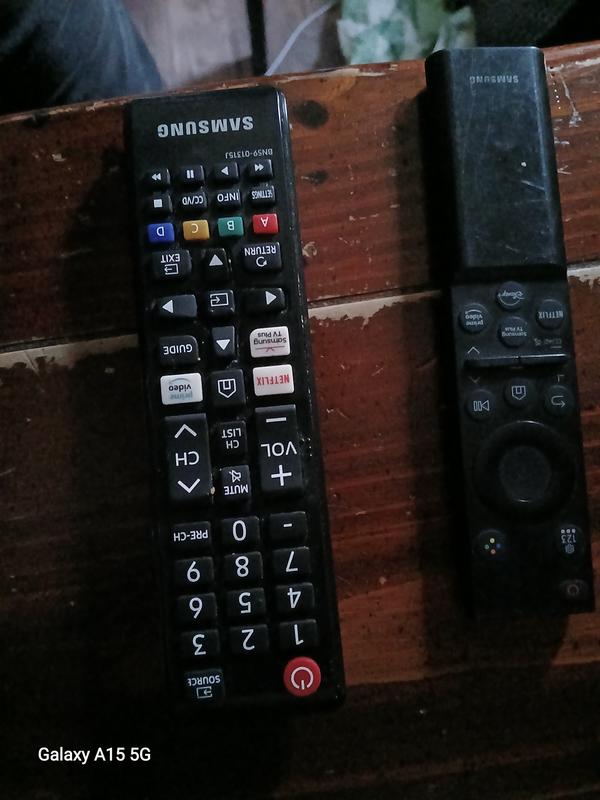
- يشتكي عدد قليل من المستخدمين من أزرار جهاز التحكم غير المستجيبة وتأخر نظام عرضي أحياناً عند تغيير القنوات
التقييمات المدعمة بالصور والفيديوهات
الفلترات
الفرز حسب الصلة يضع أفضل التقييمات في الأعلى. نركز على أمور مثل الأصوات المفيدة وأحدث تقييم والصور والسمات الأخرى التي يبحث عنها القراء في التقييمات.
الفلترات
3,930 التقييمات
2026-05-27
Phoenix, Arizona

Samsung Advisor
Hi JWOO, Thank you for your feedback on the U8000F. We are sorry to hear that the TV's interface and remote did not meet your expectations. . Samsung remotes are designed to offer convenient control, but we understand if you’d prefer to use a universal remote. Many third-party remotes work well with Samsung TVs, though setup steps may vary by brand and model. If you have any questions or need help, we’re always here. Call 1-800-SAMSUNG from 8AM – 9PM EST Mon – Fri, 8AM – 6PM Sat – Sun, or connect with a LiveChat agent anytime by selecting ‘Support’ on our website. ~ Samsung Advisor
2026-03-23
Philadelphia

2026-04-27
Atlanta, Georgia

2026-06-05
2735 Webster Ave, 6

2026-06-23
Douglasville, GA


2026-06-23
Hollywood Florida

2026-07-04
Colorado, CO


2026-11-21
Pawleys Island


2026-07-18
Winnsboro, Texas


2026-04-20
Florida


2025-04-29
Spring


2026-02-17
Portland Oregon


2026-06-01
Nashville, Tennessee


2026-11-08
Bethany Ok


2026-07-08
Maryland Manchester


2026-07-27
New Jersey,USA


2026-02-04
Anchorage alaska


2026-09-07
Augusta, Ga


2026-10-05
Hemet ca


2026-03-05
Salisbury, North Carolina

2026-07-26
Bonham, TX


2026-10-05


2026-09-10
The Colony, Texas


2026-05-12
Texas


2026-10-14
Florida


2026-07-25
Az


2026-09-20
Belleville Illinois


2026-07-05
North Carolina


2026-06-22
Jarrell, Tx


2026-06-02
Texas


2026-02-17
Mount Clemens, MI


Samsung Advisor
Hi Sarah, Thank you for your feedback regarding the screen abnormalities you're seeing on your TV. To help determine if the issue is related to the panel itself, we recommend starting with a Picture Test, which displays a high-definition image you can examine for flaws: Settings > Support > Device Care > Self Diagnosis > Picture Test If the issue appears during the test and across all sources (built-in apps, HDMI devices, etc.), it may indicate a panel-related concern. You can also try displaying solid-color test videos (red, green, blue, black, white) from a USB drive or YouTube. This can help you identify whether any pixels are stuck or not functioning properly. In some cases, unplugging the TV for a few minutes and rebooting it can help resolve stuck pixels caused by temporary display behavior. If the problem persists after these steps, the TV may require service. To set up a service appointment, please contact Samsung Support at 1-800-SAMSUNG, 8AM – 12AM EST, 7 days a week. LiveChat and additional support resources are also available through the Support link on our website. ~ Samsung Advisor
2026-03-23
Waco,Texas


2026-11-05
Little Rock, Arkansas


2025-07-18
Crete


2025-06-26


2026-02-20
Gauiter,Mississippi


2026-03-23
Blue Springs, MO


2026-04-20
Teddington London


Samsung
It is awesome to see you are loving your new spectacular Crystal UHD 4K Smart TV, Stewart! Firstly, your loyalty means the world to us, and we'll continue to wow you for years to come!
Thanks to the incredible HDR powered by HDR10+ display with 4K Upscaling, your viewing experience will be brought to life! Along with PurColour and Contrast Enhancer, those colours will be enhanced to the max!
Not to forget, with AI Energy Mode, your TV will adjust your brightness depending on the content you are watching and the surrounding light levels, helping you reduce those bills whilst maintaining the sleek performance!
^LB at Samsung Support
2026-09-04
Cedaredge, Colorado


2026-02-23
Troy, NC


2026-10-13
Chicago, Illinois


2026-10-15
Acton, CA


2026-11-21
Escanaba, Michigan


2026-02-27
Florida


2026-02-18
Greeley, Colorado

2026-05-15
Katy, TX


2026-03-23
Fort Worth, TX


2026-11-14
Prattsburgh, NY


2026-03-24
Yuma, Az

2026-07-27
TX


2026-02-02
Gloucestershire


CX
Great to see that you enjoyed an easy set-up process and crystal clear sound on your U8000F TV, George. However, it's a shame that you aren't finding the colours to be rich at all angles. While we have worked hard to expand the viewing angles on our devices, there will still be optimum viewing angles for your TV. The following guide will run you through some useful settings that will help make your TV vibrant: https://www.samsung.com/uk/tvs/tv-buying-guide/best-picture-quality-tv/
We will certainly take your feedback onboard to inform the continuous improvement of our devices. If you need any further advice, the contact details and operating hours of our Support Teams can be found here: https://www.samsung.com/uk/support/contact/
^SK at Samsung Support
2026-02-21


2026-03-23
Laurel, MS


2026-07-20
Corpus Christi TX


2026-06-13
Lancaster, Ohio


2026-04-25
Antioch California


2026-03-24
Atlanta GA

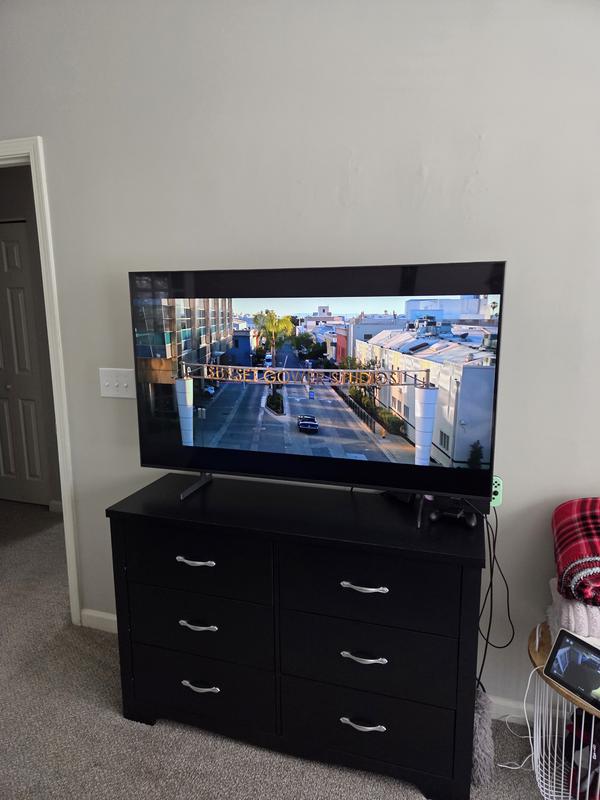
2026-03-23
Naples, FL


Samsung Advisor
Hi AJ Tamayo, We apologize for the inconvenience you’ve experienced with inconsistent sound volume on your TV. To help stabilize volume levels, try enabling the Auto Volume function, which automatically adjusts sound when switching channels or inputs: Settings > All Settings > Sound > Expert Settings > Auto Volume > On You may also want to run a Sound Test to check for audio issues: Settings > Support > Device Care > Self Diagnosis > Sound Test Lastly, confirm that your TV is running the latest firmware. You can check and update by going to: Settings > Support > Software Update > Update Now. If the issue continues, please reach out to Samsung Support at 1-800-SAMSUNG, 8AM – 12AM EST, 7 days a week. LiveChat and additional support resources are also available through the Support link on our website. ~ Samsung Advisor
2026-10-22
Leroy, NY


2026-03-20


2026-02-17
Wellford, SC


2026-03-24


2026-06-06
WestPalmBeach, FL


2026-09-05
Texas


2026-04-20
HOUSTON TEXAS


2025-06-12
Arlington


2025-12-29
San Luis Obispo,ca

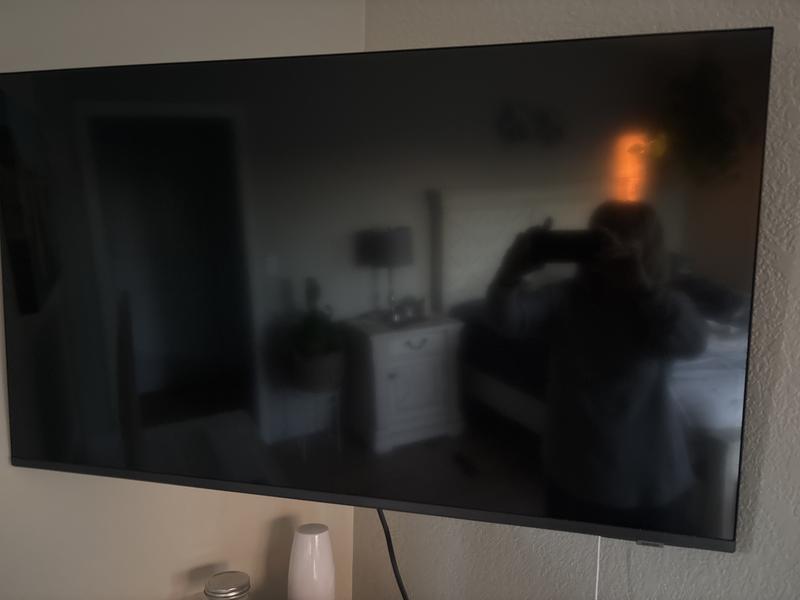
Samsung Advisor
Hi Dnslink, We appreciate you sharing your experience connecting Bluetooth audio devices to your U8000f TV. To pair a Bluetooth device, go to: Settings > All Settings > Sound > Sound Output > Bluetooth Speaker List – If your device isn’t found, move it closer to the TV and select Scan. – Once paired, your TV will automatically detect the device when it’s powered on and prompt you to connect. You can also refer to the Connection Guide for help: Home > left directional key > Connected Devices > Connection Guide > Audio Device > Bluetooth Please also make sure both your TV and the Bluetooth device are running the latest firmware: Settings > Support > Software Update For more help, please contact Samsung Support at 1-800-SAMSUNG, 8AM – 12AM EST, 7 days a week. LiveChat agents are also available on our website under ‘Support’. ~Samsung Advisor
2026-03-23
HARTFORD CT


2026-03-23
Deland, Florida


2026-04-20
Nacogdoches texas


2026-09-28


2026-10-04
California


2026-02-17
Columbia, Tennessee


2026-02-17
allentown


2026-09-05
Mechanicsburg, PA


2026-03-23
Deltona, Florida


2026-07-08
Farmington, Mo


2026-06-20
Ooltewah, TN


Samsung Advisor
Hi TVme, Thanks for sharing your thoughts. If there's anything we can do to improve your experience, please reach Samsung Support at 1-800-SAMSUNG (8AM – 9PM EST Mon – Fri, 8AM – 6PM Sat – Sun), or reach us via text anytime. You can also visit ‘Support’ on our website for: • Live Chat • Manuals, Software, & Warranty Info ~ Samsung Advisor
2025-06-11
Chicago, illinois


Samsung Advisor
Hi Steph, Thank you for your detailed feedback. It's unfortunate that you are not satisfied with your purchase. I have a few tips that may improve your experience. First, please know the Philo app is available on the Samsung U8000F TV. To search for and download apps via the built-in app store, go to Home> Left Cursor over to the Search Bar> Type in Philo> Download app. Regarding the remote control, Samsung remotes are designed to offer convenient control; however, we understand if you prefer to use a universal remote. We hope these tips are helpful. If you need any further assistance, please don’t hesitate to call us at 1-800-SAMSUNG, available from 8AM - 12AM EST, seven days a week. You can also chat with one of our agents by clicking the ‘Support’ link on our website. ~ Samsung Advisor
2025-04-29
Middletown


Samsung Advisor
Hi WatzUpDoc, Thank you for your review! We're thrilled you're enjoying the stunning picture quality powered by the Crystal Processor 4K. With vibrant colors, sharp details, and powerful 4K upscaling, every scene comes to life for an immersive viewing experience. Enjoy the crystal-clear entertainment! If you ever need assistance, whether it’s optimizing settings or exploring new features, feel free to reach out to Samsung Support at 1-800-SAMSUNG, available from 8 AM to 12 AM EST, 7 days a week. You can also visit us online at the Samsung website, where you can access: • LiveChat with an agent • Manuals, software, and warranty info • Easy product registration for quick access to support, promos, and offers ~ Samsung Advisor
2026-03-09
Round Rock, TX

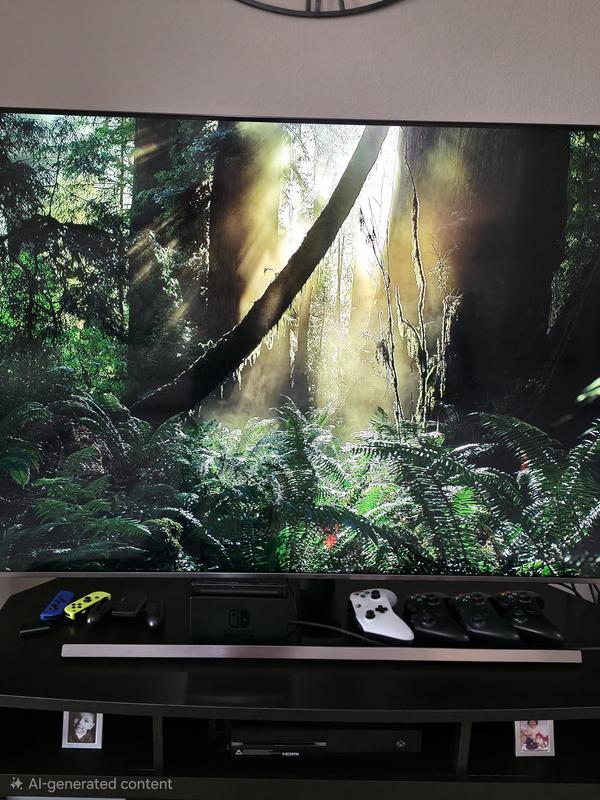
2026-05-12


Samsung Advisor
Hi Mahoot, Thank you for your review. While your U8000F TV may currently default to Samsung TV Plus when powered on, you can customize what your TV does at startup by adjusting the Start Screen Options. To do this, navigate to: Settings > All Settings > Advanced Features > Start Screen Option and choose from the following: 1. Start with Smart Hub Home – Automatically launches Smart Hub when the TV is turned on. You can enable or disable this option based on your preference. 2. Autorun Multi View Casting – If you cast YouTube content from your mobile device, the TV will automatically display the content using Multi View. 3. Autorun Multi View Mirroring – When you screen mirror your mobile device, Multi View will automatically open to show your device’s screen. If you need help adjusting these settings or have any other questions, please contact Samsung Support at 1-800-SAMSUNG, 8AM – 9PM EST Mon – Fri, 8AM – 6PM Sat – Sun LiveChat agents are also available by clicking on the ‘Support’ link on our website. ~Samsung Advisor
2025-06-07
Riverside


2025-08-05
Solon


2026-01-12
Wales


CX
Many thanks for taking the time to share your review of the 50" Crystal UHD TV. Your thoughts and feedback are extremely important to us, and we're glad to hear that you're enjoying the superb 4K picture quality and the enhanced audio experience, along with the easy set-up process.
We're sorry to learn that you've experienced an issue in using a voice assistant due to the lack of a microphone. Voice assistant features are supported on this model, but they do require alternative methods for microphone input, such as the SmartThings app. You can also connect your TV to an external smart speaker (like an Amazon Echo) to enable voice control capabilities.
We're also sad to hear that you had an issue connecting your PC, but it's great to hear that this is now resolved. If you need support with this in the future, please don't hesitate to reach out to our Support Teams, who are always happy to assist. You can find contact details and opening times here: https://www.samsung.com/uk/support/contact/
We hope this information is helpful to you!
^EW at Samsung Support
2026-02-17
Las Vegas, Nevada

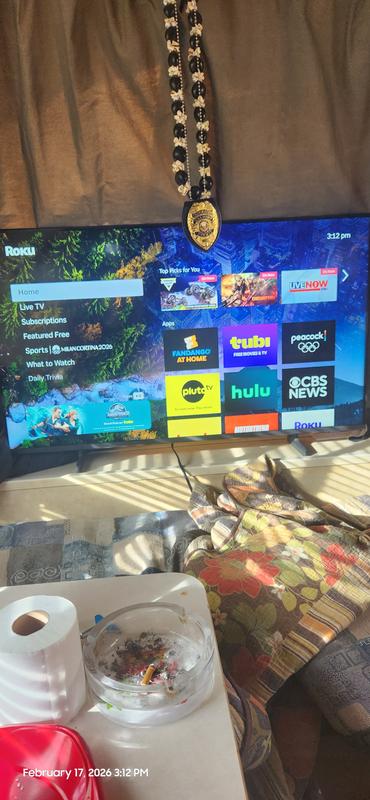
2026-10-05
Rome City, Indiana


2026-09-21
Conway, AR


2026-11-16
Pittsburgh, PA


2026-11-16
Austin, Tx


2026-11-25
2026-05-03
Rogers, AR


2026-08-29
South Africa


2025-05-20
Marshalltown


2026-11-16
Wilmington NC


2026-06-06
Watertown CT


2026-07-07
Riverside,California, USA


2026-09-05


2026-06-01
Southbridge Massachusetts


2025-06-01


مراجعات بواسطة Bazaarvoice وتتوافق مع سياسة موثوقية Bazaarvoice المدعومة بواسطة تقنية مكافحة الاحتيال والتحليل الإنساني.
التفاصيل في
دليل المستخدم والتحميل
الحلول والنصائح
* قد تختلف الميزة الرئيسية عن المواصفات الرئيسية


