How to clean your Samsung Galaxy Buds
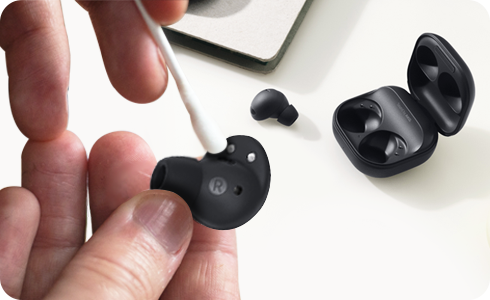
To ensure that your Galaxy Buds function correctly it is important to clean them regularly. Earwax, dust, and other debris can accumulate in them, affecting sound quality and volume, and preventing them from charging correctly.
Please note: Do not hold your Galaxy Buds upright when cleaning them; this is to ensure any debris doesn't into the buds. Do not use any liquids to clean your Galaxy Buds. Additionally, please do not clean your Galaxy Buds with chemical substances such as alcohol, acetone or any other organic solvents as it may cause damage to your device.
1. Before you start
a. Make sure your earbuds are not charging
b. Use a soft and dry cloth
c. Avoid any liquids
2. Clean the earbuds
a. Wipe the outside of each earbud to remove dust
b. Use a dry cotton swab or soft cloth to clean the speaker mesh
c. Avoid any sharp objects
3. Clean the ear tips
a. Remove the ear tips and rinse them with water
b. Dry them completely before putting them back on
4. Clean contacts and case
a. Clean the charging contacts with a dry cotton swab
b. Wipe the inside and outside of the charging case with a soft, dry cloth
c. Avoid any moisture
Please note: Do not use a metal brush as it may damage the speaker.
The process for cleaning Galaxy Buds Live is slightly different. They have wingtips rather than earbud tips; these wingtips are flatter than earbud tips:
Please note: Do not use a metal brush as it may damage the speaker.
Thank you for your feedback!
Please answer all questions.